
Description
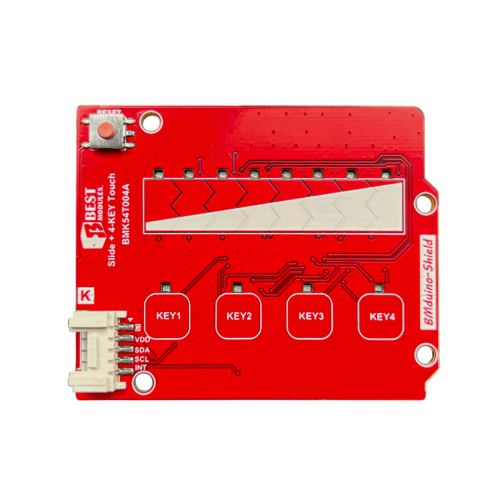
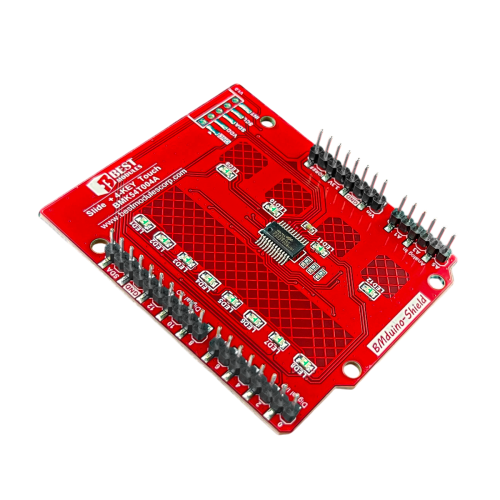
BMK54T004A is a module designed by Best Modules specifically for the micro:bit and Arduino (BMduino) ecosystems. Depending on the user’s development environment and the main board being used, it can be paired with the micro:bit IoT Expansion Board BMB81TM01A or the BMduino IoT Expansion Board BMB81TB01A to make sensor and module wiring more intuitive and integration significantly faster, greatly improving development efficiency.
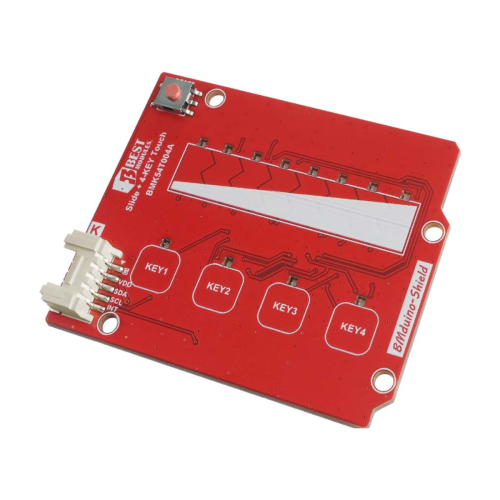
When a finger touches the copper foil area on the PCB, the capacitance changes, triggering an effect similar to a physical key press by detecting the change in capacitance.
The slider on the BMK54T004A is composed of 8 touch-sensing units. Through a specially designed PCB copper foil layout and advanced MCU algorithms, it accurately detects touch positions along the slider (positions 1 to 8).
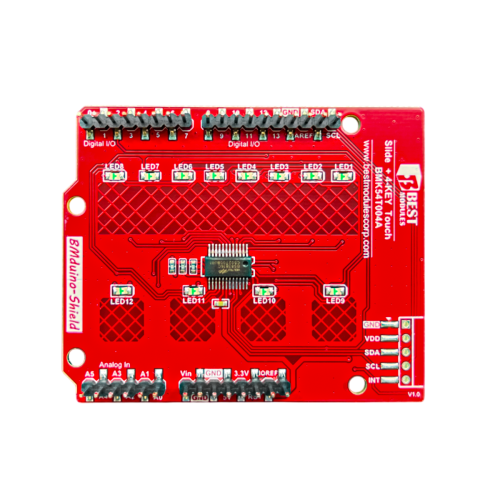
The development board communicates via the I2C interface to read touch states and illuminate the LED corresponding to the touched position/key. Each key (including slider positions) has independently adjustable sensitivity. If an acrylic or similar cover reduces capacitance, sensitivity can be increased to maintain responsive touch performance.
- Operating Voltage: 2.5V to 5.5V
- Operating Current: 4mA @5V
- Standby Current: <30μA @5V
- Onboard 4 touch keys + 1 touch slider; corresponding LED lights up upon activation
- Touch Sensitivity: 55 levels (10–64) (individually adjustable)
- Auto standby mode after 8 seconds of inactivity
- Communication Interface: I2C (Address: 0x72, ≤400kHz)
- Dimensions: 67.0 × 54.94 × 16.0 mm
- Package Includes: 1× BMK54T004A | 1× 5-pin header
This board can be directly plugged into an Arduino UNO or our BMduino-UNO development board (such as BM53A367A). Simply align the header pins on the back of the BMK54T004A with the corresponding socket and press into place—no additional wiring required.
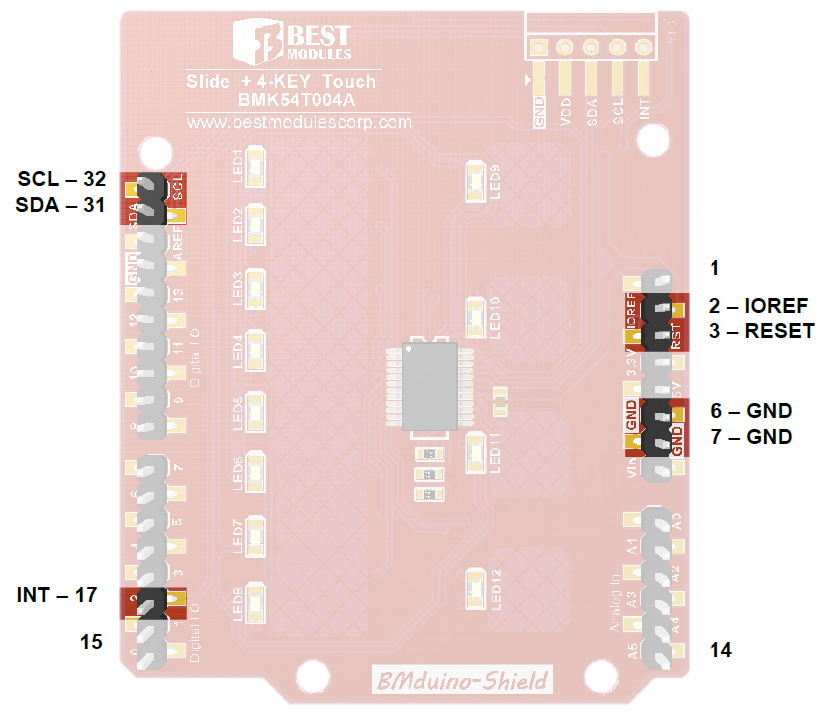 All other pins not listed are reserved or unused.
| Pin Name | BMduino Pin | Function |
|---|---|---|
| INT | ~D2 | Interrupt output No touch: High level Touch detected: Low level |
| SCL | D19/A5 | I2C Clock |
| SDA | D18/A4 | I2C Data |
| VDD | IOREF | Positive Power Supply (2.5V–5.5V) |
| RESET | RESET | Reset the BMduino UNO board |
| GND | GND | Ground |
The BMK54T004A can also connect to a main control board via the BMCOM interface.
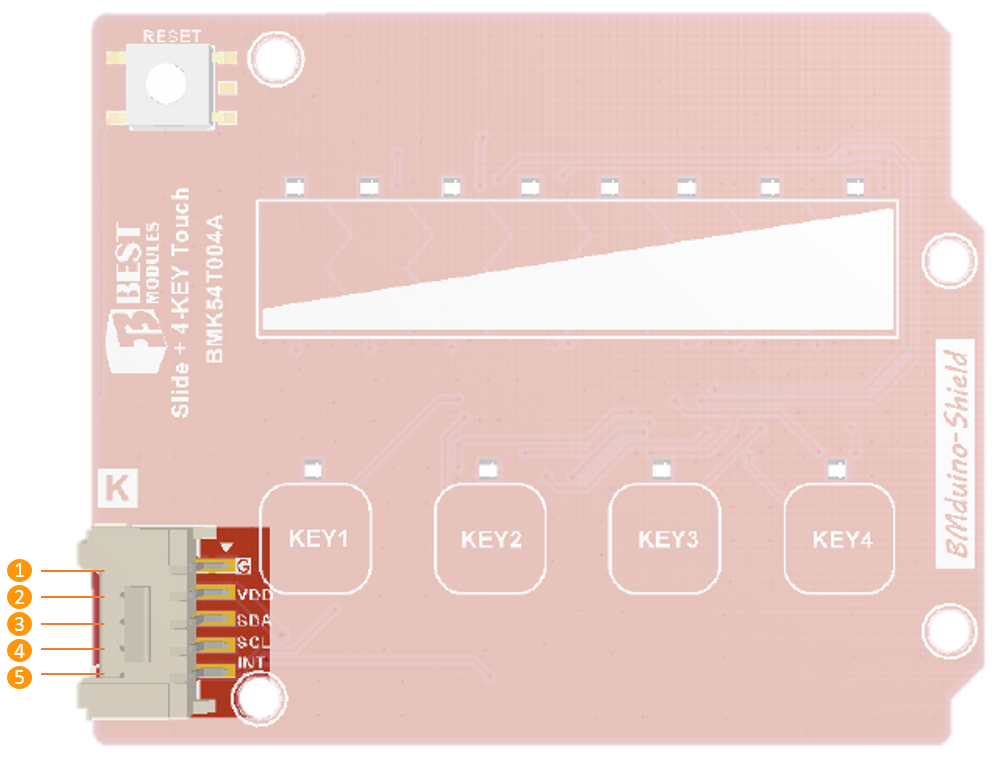
| Pin | Pin Name | Function |
|---|---|---|
| 1 | GND | Ground |
| 2 | VDD | Power Supply: 2.5V–5.5V |
| 3 | SDA | I2C Data |
| 4 | SCL | I2C Clock |
| 5 | INT | Interrupt output No touch: High level Touch detected: Low level |
Q1: How does it enter standby/sleep mode?
A: After power-up, the module starts in standby detection mode. Touch input switches it to active mode; after approximately 8 seconds of inactivity, it automatically returns to standby detection.
Q2: How do I wake it from standby?
A: Simply touch any key or slider position. Some firmware versions also support I2C address match wake-up (based on actual firmware version).
Q3: Can it work through glass or acrylic overlays?
A: Yes. For best performance, keep overlay thickness within about 3mm, and adjust sensitivity settings to maintain consistent touch response.
- MCU: Holtek BS83B16C, Enhanced Touch I/O Flash MCU, including datasheet, package information, etc.





Reviews
There are no reviews yet.