
Description
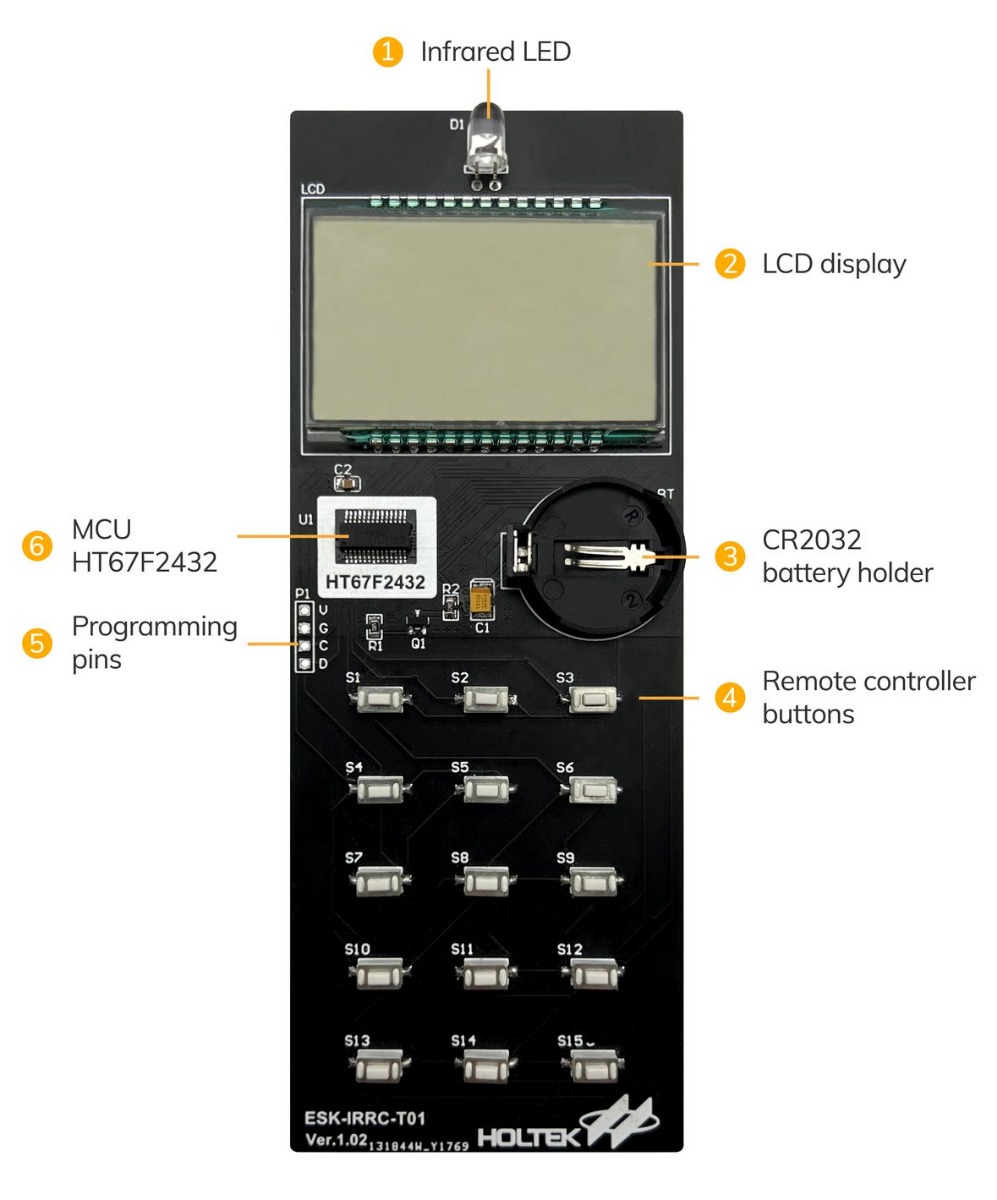
HARDWARE OVERVIEW
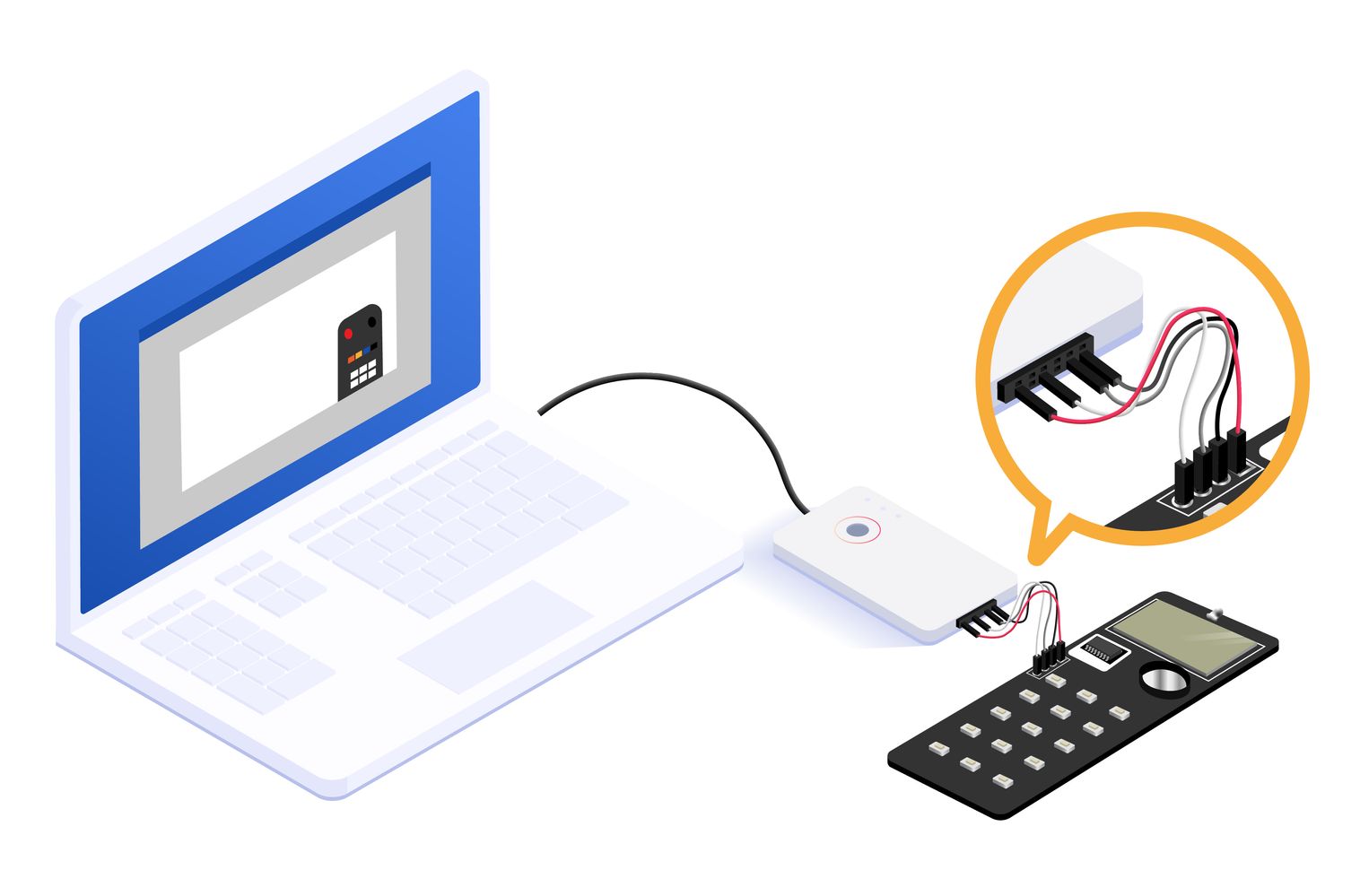
WIRING
PREPARATION OF TOOLS
- Hardware
– ESK-IRRC-T00 x 1
– e-Link x 1
– Computer x 1
– Micro USB cable x 1
– Dupont cable x 1
– Decoder ESK-IRRC-R00 x 1 (dispensable) - Software
– Infrared remote controller workshop
PRODUCT INSTRUCTIONS
-
- Connect ESK-IRRC-T01 to a computer and set up the development platform software.
- Create a project:
(1) Remote control: LCD type Remote Controllers.
(2) Two kinds of development modes: code wave mode, user define mode. - Development
(1) User define mode: users can define all the parameters.
(2) Code wave mode: It needs to use with a decoder in this mode.
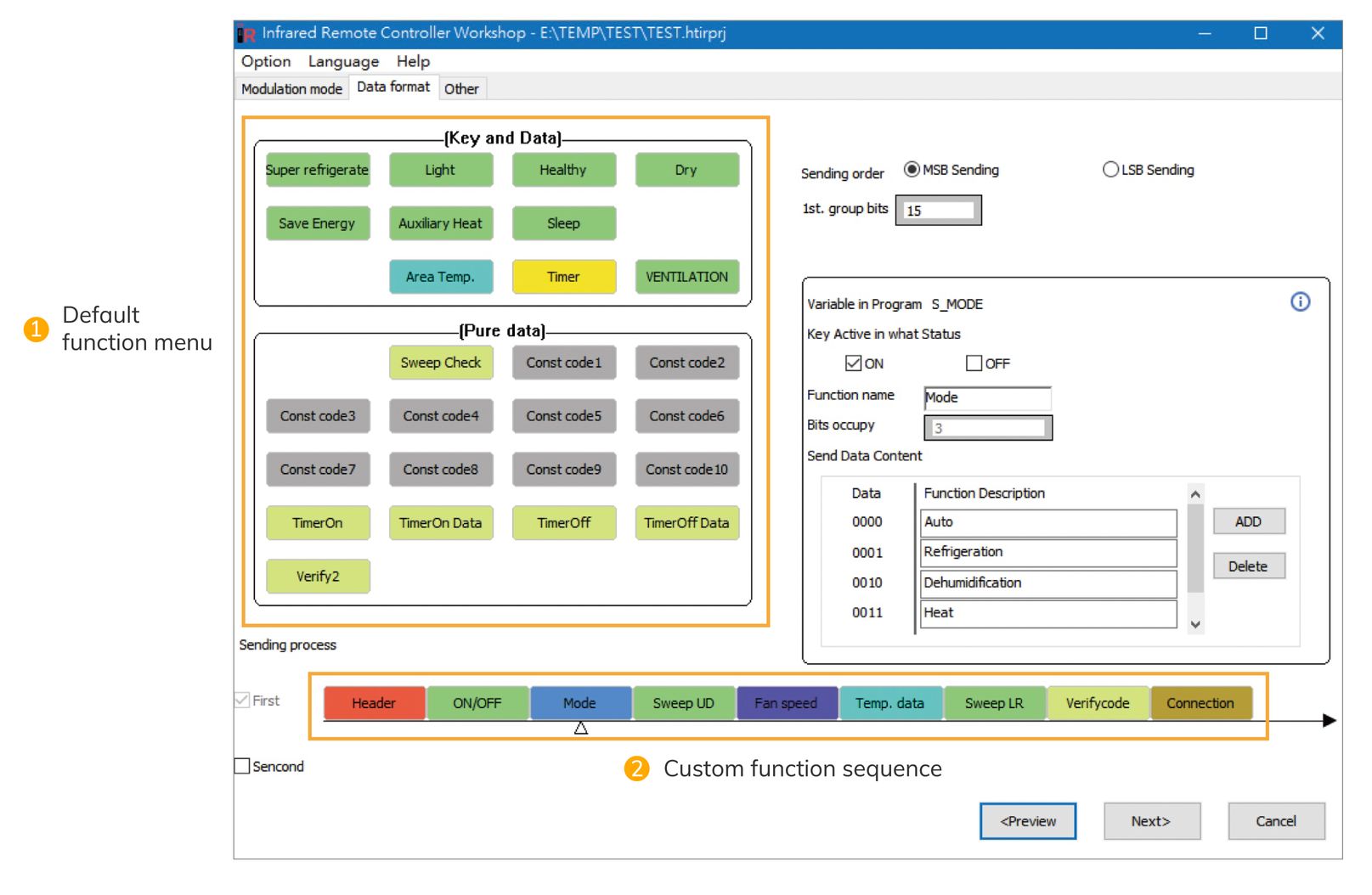
Please refer to the product page of the ESK-IRRC-R00 for more information. - Data format configuration: there are various optional block icons designed according to different functions. Users can drag the functions they require into sending process.
-
- LCD configuration: please refer to the picture below for configuration.
For example, the S6 is a sleeping icon on the LCD. Users need to drag the sleeping icon into COM3 of the fourth column if they require the function.
- LCD configuration: please refer to the picture below for configuration.
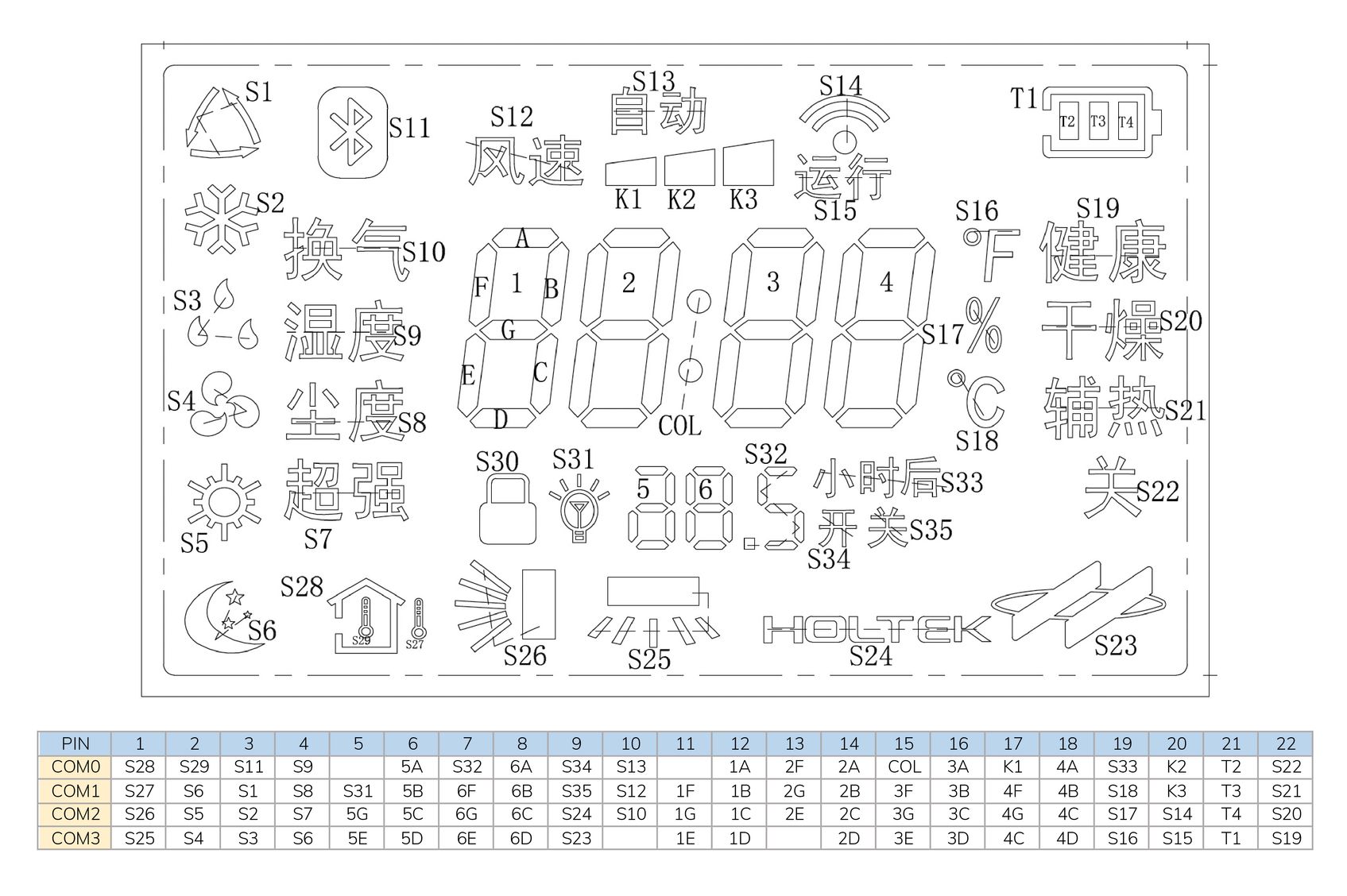
- Key configuration: drag an I/O icon into the key position and drag the function keys on the right into the fields on the left. (users can arrange the order of function keys)
- Open HT-IDE3000 software and import the above data to rebuild a project.
- Open HOPE3000 software and program the project to the remote control development board via e-Link.
RESOURCES
- Development platform: Infrared Remote Controller Workshop, including user’s guide and software, etc.
- The help menu in the software includes user guide, MCU datasheet, development board schematic design, and infrared remote control knowledge base.





Reviews
There are no reviews yet.